Home / Smart Factory / AutoOffset

AutoOffset — Automatic CNC Tool Offset Correction System

Measure → Decide → Correct. A FANUC FOCAS2-integrated terminal that compensates for tool wear on its own, without a human touch. Offsets keep adjusting themselves even at night and on weekends.

AUTOOFFSET

Key Specifications at a Glance

It automatically reads measurement values from the NC and returns only the offsets that pass the AI Golden Curve and multi-stage safety checks back to FANUC.

FOCAS2
Direct FANUC Integration
Ethernet · no separate gateway required
Auto
Offset Correction
Automatic update based on measurements & triggers
Golden Curve Learning
Automatic 3-stage wear/breakage judgment
24/7
Unattended Quality Management
Transmitted after multi-stage safety checks
THE PROBLEM

Tools Wear Down Without Stopping

When you rely on manual measurement and input, quality depends on the operator and the time of day.

Constant Manual Input

Every measurement cycle repeats the same manual labor: an operator measures the dimension and enters the offset by hand.

🎲

Skill Dependence

The timing and amount of correction hinge on operator judgment, so results vary widely.

🌙

Night/Weekend Gap

During unattended hours there is no one to catch the wear, so dimensions easily exceed their limits.

⚠️

Defects & Rework

By the time wear is caught late, tens to hundreds of parts have already fallen out of spec.

HOW IT WORKS

From Measurement to Correction, One Cycle

01

Measure

Collects per-tool wear/dimensions and spindle load reported by the NC in real time via FOCAS2.

02

Decide

Uses triggers such as Golden Curve deviation, load increase, and measurement arrival to calculate whether and how much correction is needed.

03

Safety Check

Approves only correction values that pass the upper/lower limits, single-shot maximum, MSTR, and zero-value checks.

04

Send Offset

Automatically writes the approved offset to the FANUC controller and records it in the history.

FEATURES

Key Features — Screen by Screen

From Golden Curve learning to automatic correction, multi-stage safety checks, and history data, presented through actual operating screens.

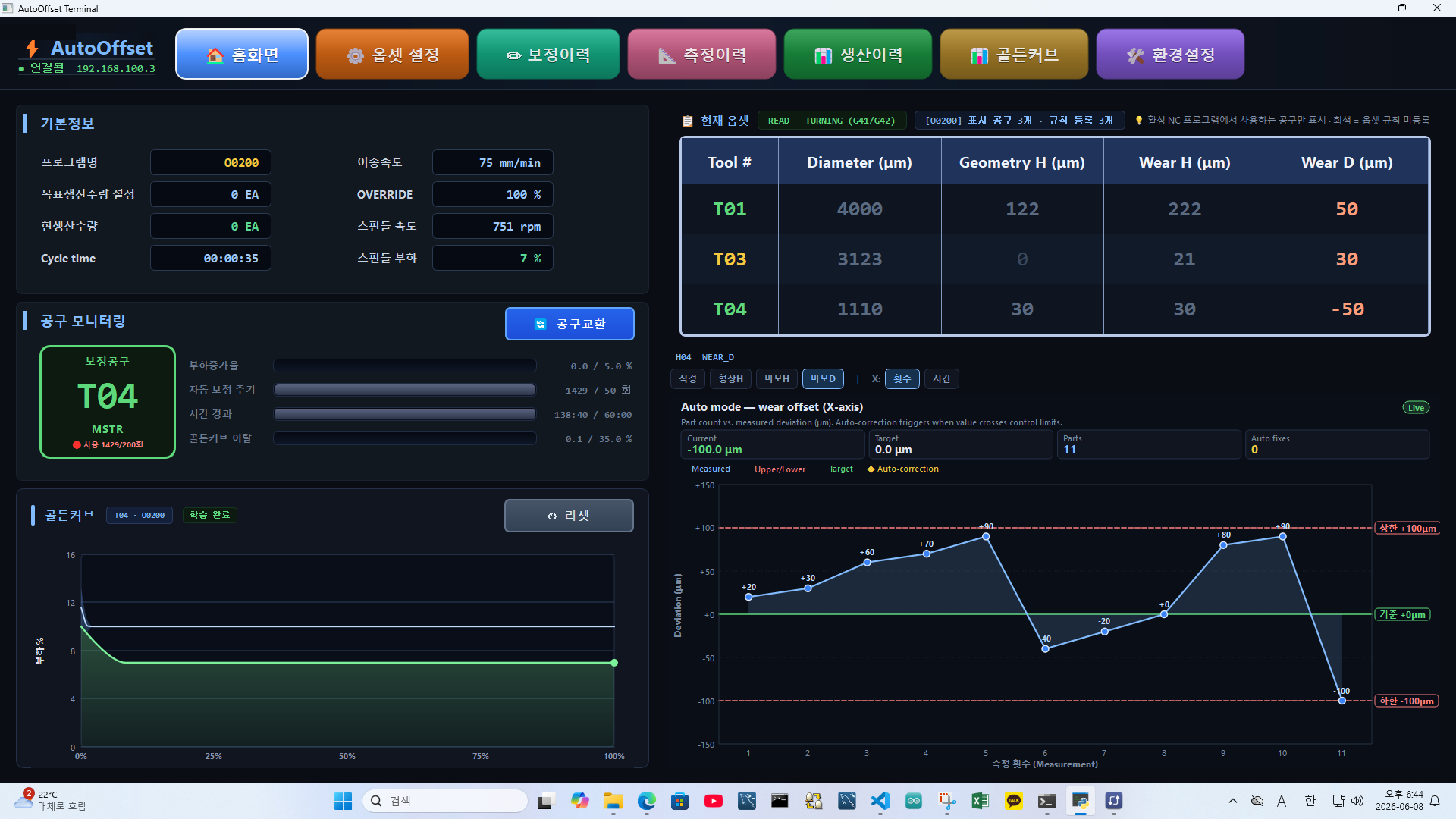
AutoOffset real-time monitoring dashboard
01

Real-time Monitoring Dashboard

  • Displays program, cycle time, spindle load, and production quantity in real time on a single screen
  • Tracks the current correction-target tool and the auto-correction cycle and elapsed time
  • Visualizes measurement deviation, upper/lower limits, and auto-correction points on a live chart
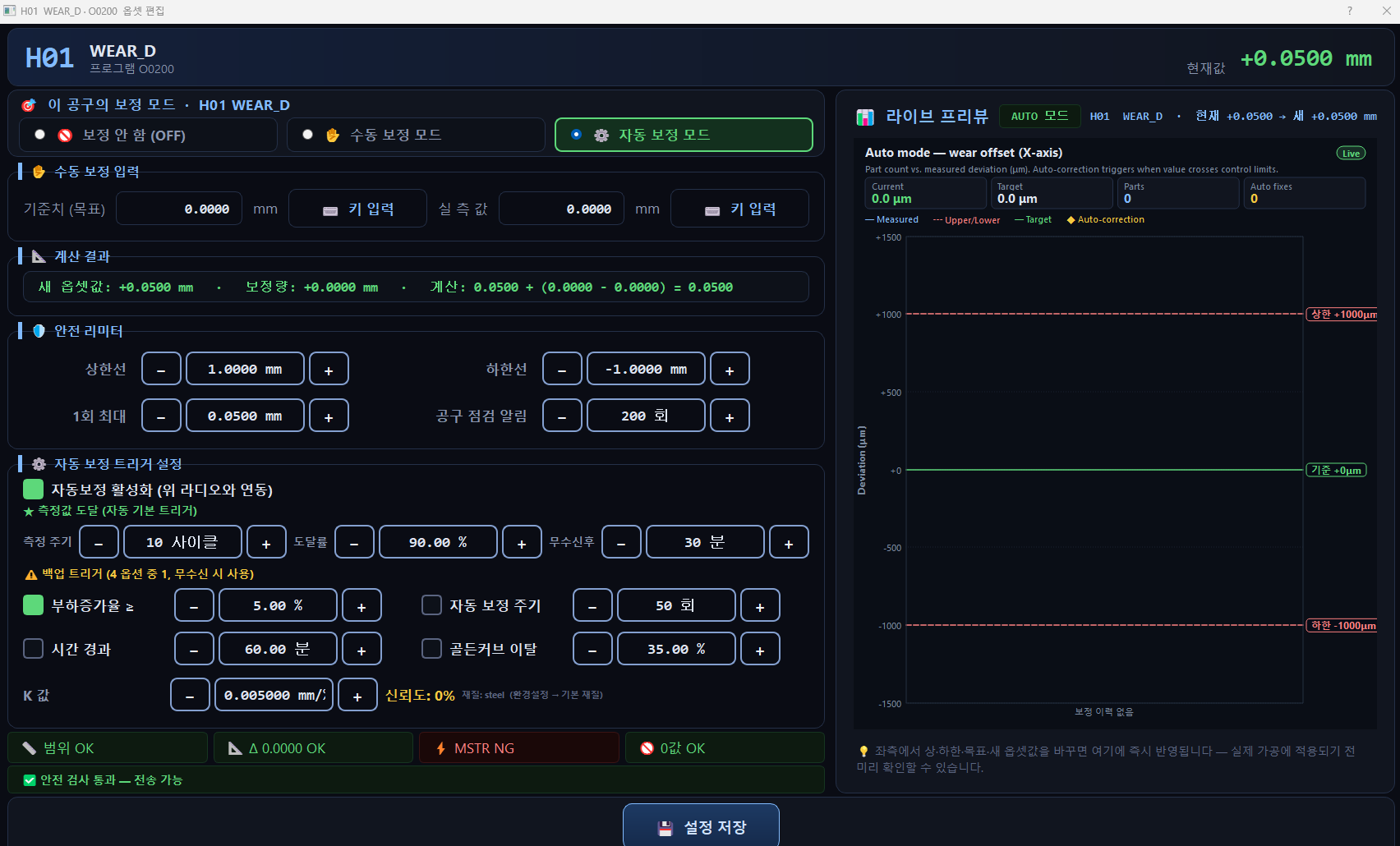
Automatic offset correction settings screen
02

Automatic Offset Correction & Triggers

  • Measurement arrival as the primary trigger, with 4 backup triggers: load increase rate, cycle, elapsed time, and Golden Curve deviation
  • Calculates the correction amount reflecting wear speed using a per-material wear coefficient (K)
  • Independently assigns OFF · Manual · Auto correction mode for each tool
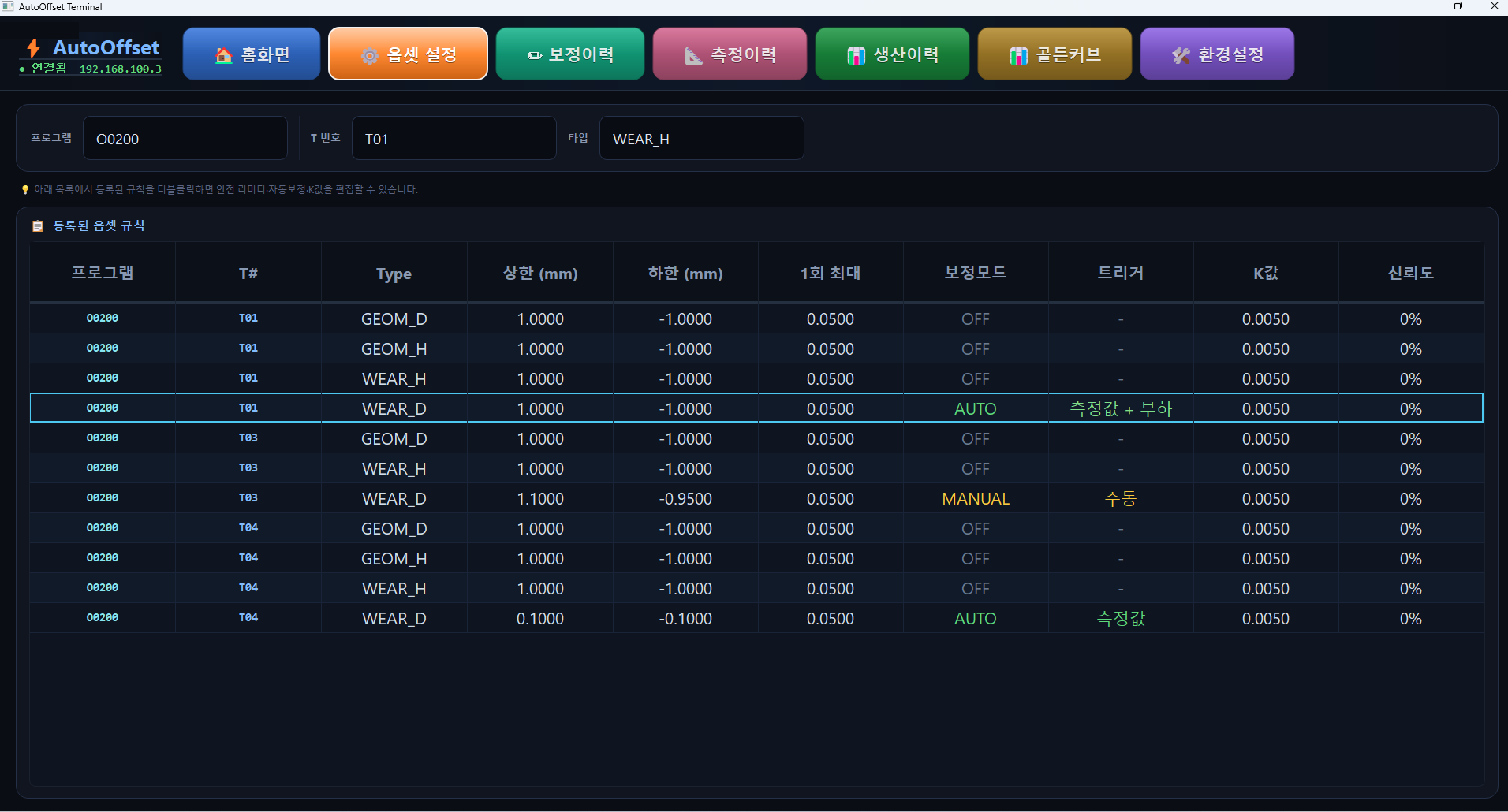
Per-tool offset rules and safety limiter screen
03

Multi-stage Safety Checks Before Sending

  • Upper/lower limits (absolute range) + single-shot maximum correction limit
  • MSTR (master tool consistency) check · blocks zero/abnormal values
  • Alerts on replacement timing when a tool reaches its usage limit
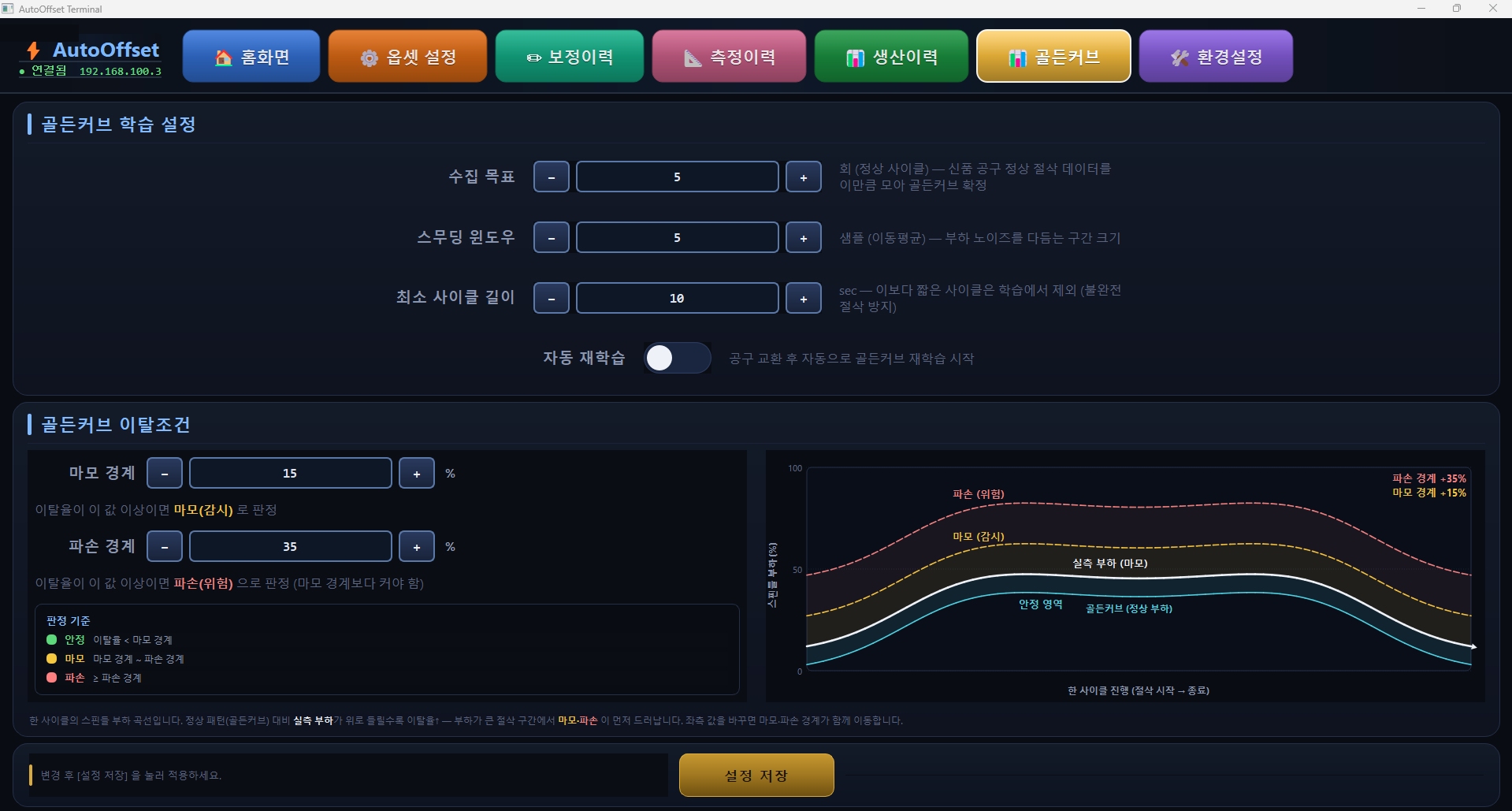
Golden Curve AI learning settings screen
04

Golden Curve AI Learning

  • Learns the normal cutting spindle-load curve of a new tool as a standard pattern
  • The more the measured load diverges from the baseline, the higher the deviation rate — judging wear/breakage stage
  • Instantly distinguishes the 3 stages — Stable (green) · Wear (watch) · Breakage (danger) — by color
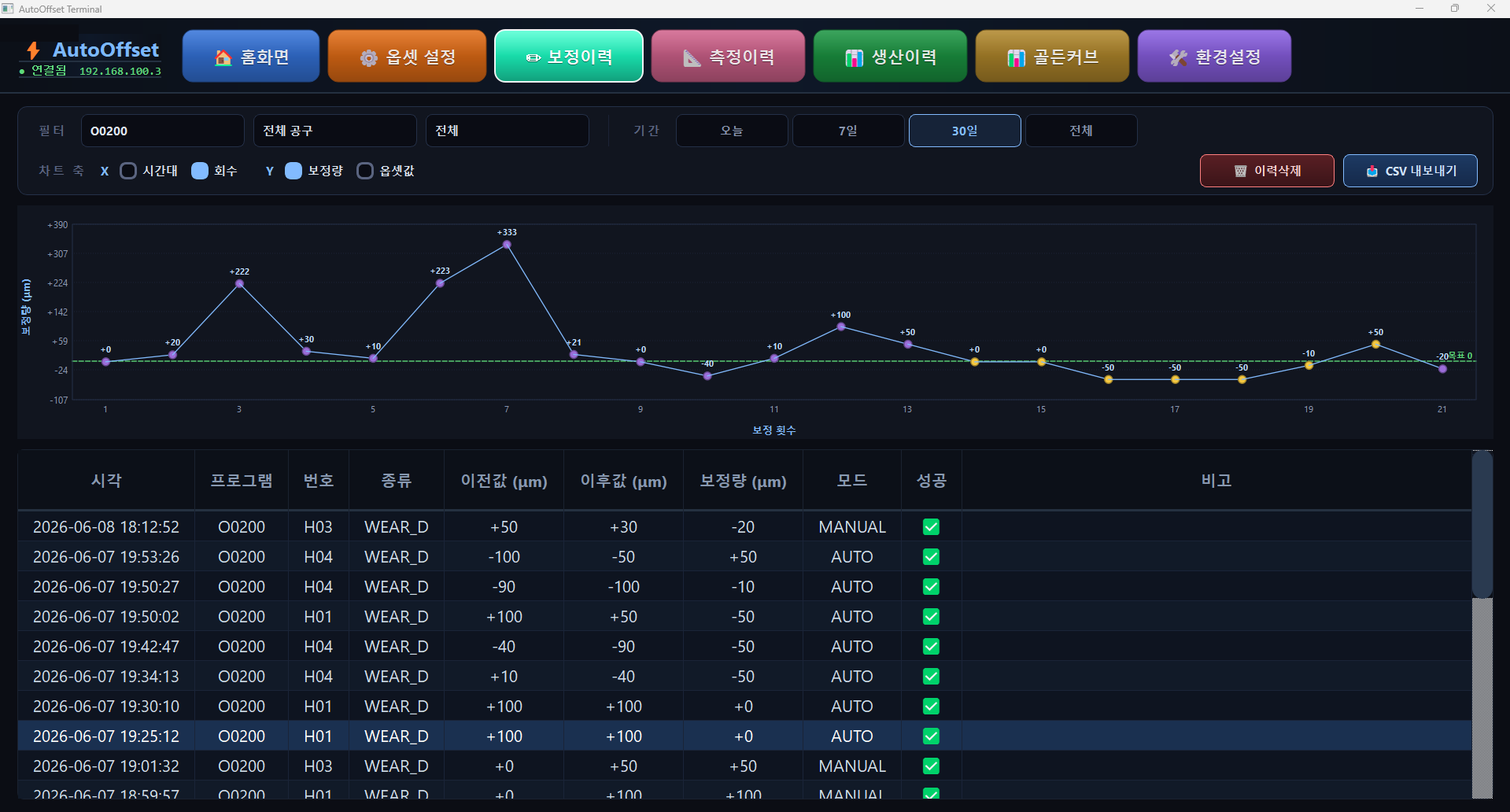
Correction history screen
05

Correction History

  • Automatically records before/after values, correction amount, and correction mode
  • Traceable with filters by tool, offset type, and period
  • Accumulates quality-tracking and predictive-maintenance data via CSV export
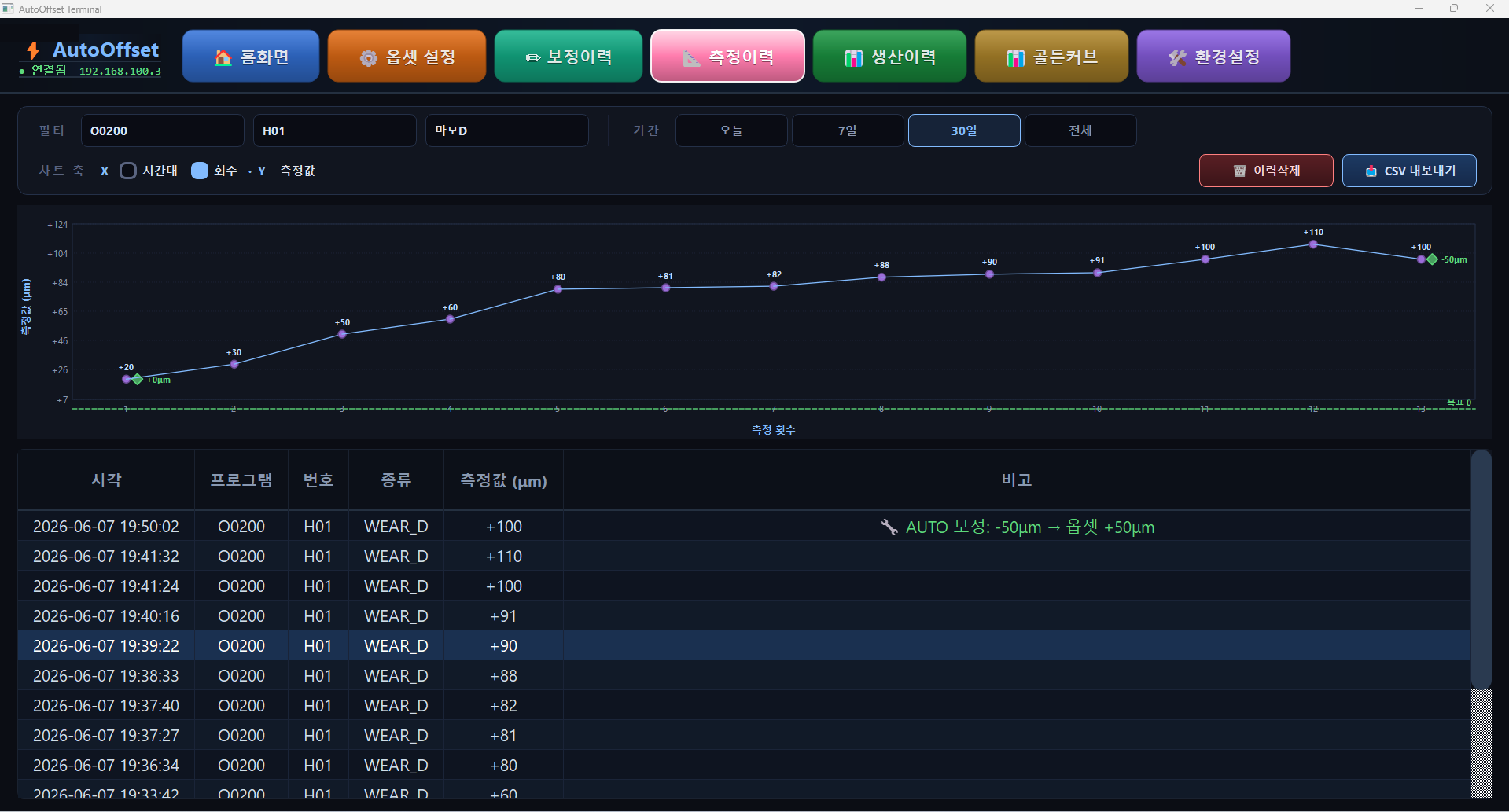
Measurement history screen
06

Measurement History

  • Records measurement trends and auto-correction points as a time series
  • See cumulative wear trends (e.g., +20㎛ → +110㎛) at a glance
  • Confirms whether the auto-correction trigger fired before reaching the limit
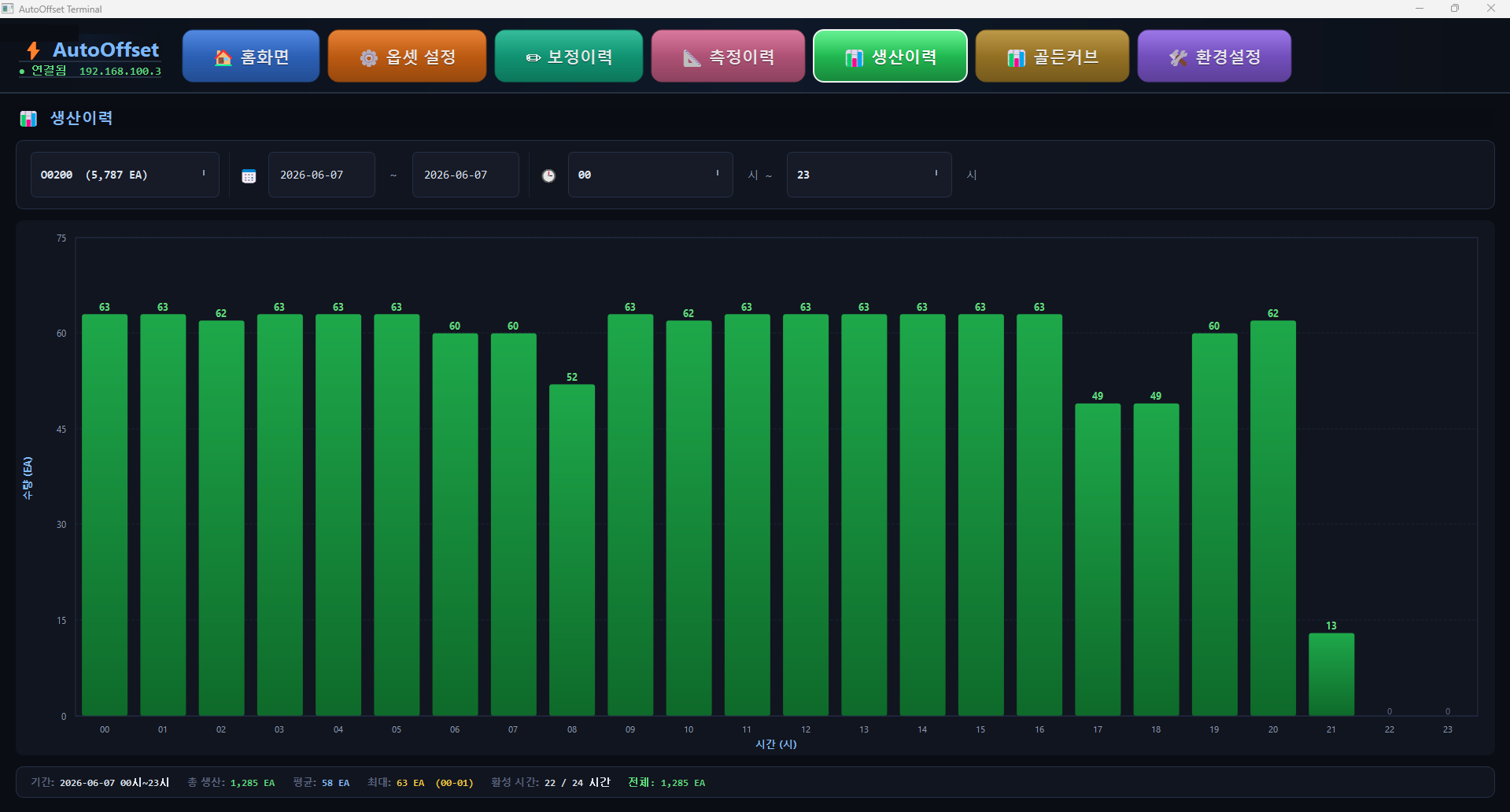
Production history screen
07

Production History

  • Aggregates production quantity (EA) by time period in a graph
  • Tracks even cumulative production of a single program without interruption
  • Tracks production performance and manages it against targets
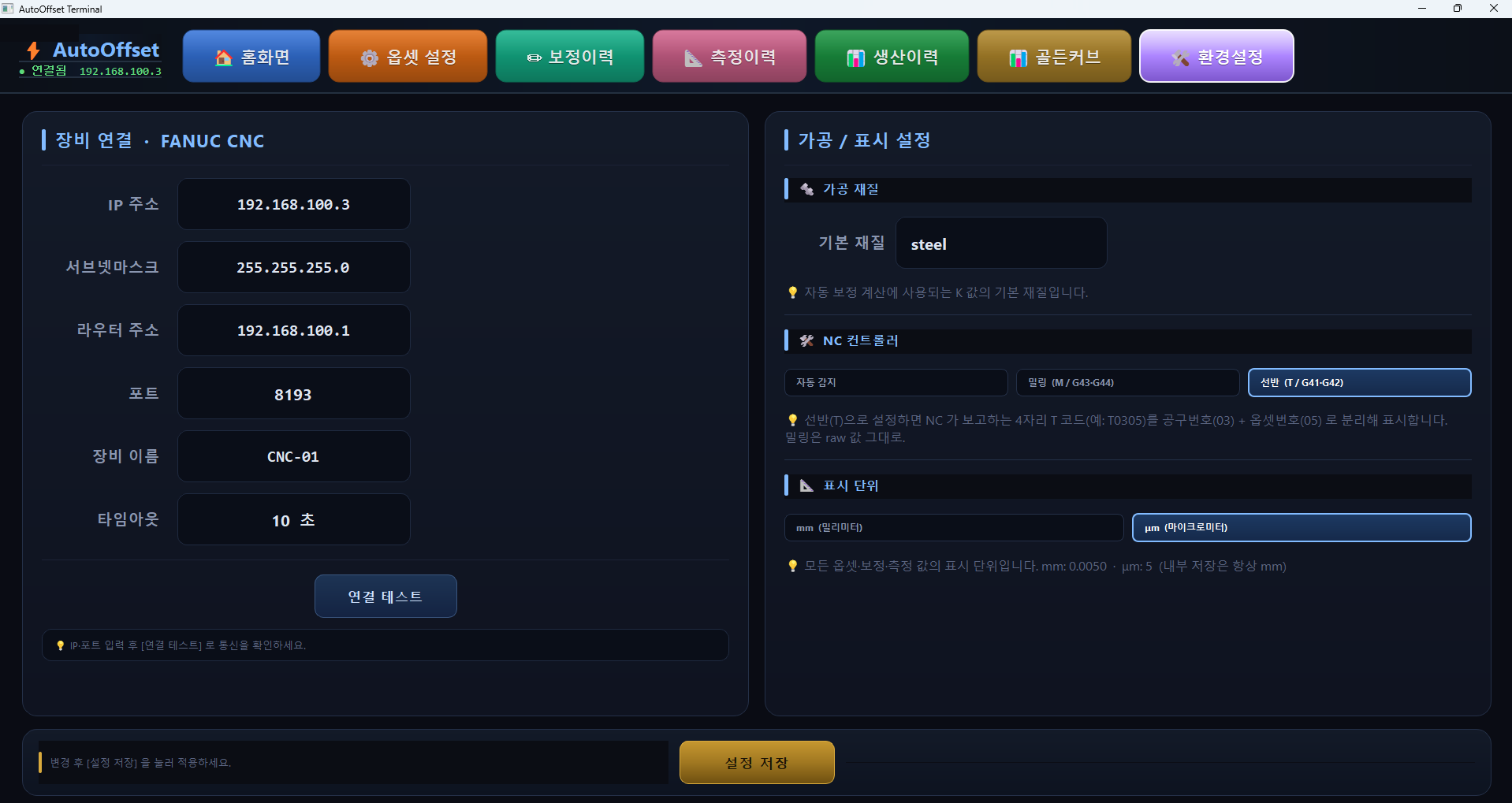
Environment settings and FANUC integration screen
08

Environment Settings · FANUC Integration

  • Verify communication with a single connection test after entering IP/port (FOCAS2)
  • Displays offsets separately with auto-detection of lathe (T · G41/G42) and milling (M · G43/G44)
  • Apply material/K value, instantly switch the mm/㎛ display unit
SPECIFICATION

Specifications · Compatibility

Integration MethodFANUC FOCAS2 (Ethernet) · default TCP port 8193
Target ControllersFOCAS2-supported FANUC NC (0i / 30i series, etc.)
Machining TypeLathe (T · G41/G42) · Milling (M · G43/G44) auto-detection
Correction TargetGeometry / Wear offset · H / D
Correction ModeOFF · MANUAL · AUTO
Automatic TriggersMeasurement arrival · load increase rate · correction cycle · elapsed time · Golden Curve deviation
Safety MechanismsUpper/lower limits · single-shot maximum correction · MSTR check · zero-value check · tool inspection alert
Display Unitmm / ㎛ switching (internal storage always in mm)
History · ExportCorrection · measurement · production history + CSV export

※ AutoOffset's core technology (3-State mode, measurement-triggered auto correction) is Seungbin Hitech's proprietary technology, patent application in preparation.

CONTACT

AutoOffset Inquiry

Ready to automate measurement, decision, and correction? Our Smart Factory Division representative will personally guide you through adoption consulting, demos, and on-site deployment inquiries.

See All Contact Details
Smart Factory Division
ContactKim Jinhong / Manager

Ready to automate measurement, decision, and correction?

Tell us about your equipment and we'll propose a tailored adoption plan.

AutoOffset Consultation